Building a Threat Intelligence Agent with Snowflake and Streamlit
Last week, Google announced Sec-Gemini, a large language model (LLM) specifically designed to tackle cybersecurity challenges. Among the highlights of their announcement was the inclusion of benchmarks, particularly the CTI-MCQ benchmark for evaluating threat intelligence capabilities. As someone who works on both cybersecurity and LLMs, I couldn’t help but think… benchmarks are notoriously easy to game, but it could be fun to use them to starting point for something useful.
With a combination of Snowflake, a retrieval-augmented generation (RAG) approach and Streamlit for the frontend, I set out to hack together a basic security knowledge agent. With any luck I could get comparable results, or at least prove the concept.
Setting the Stage
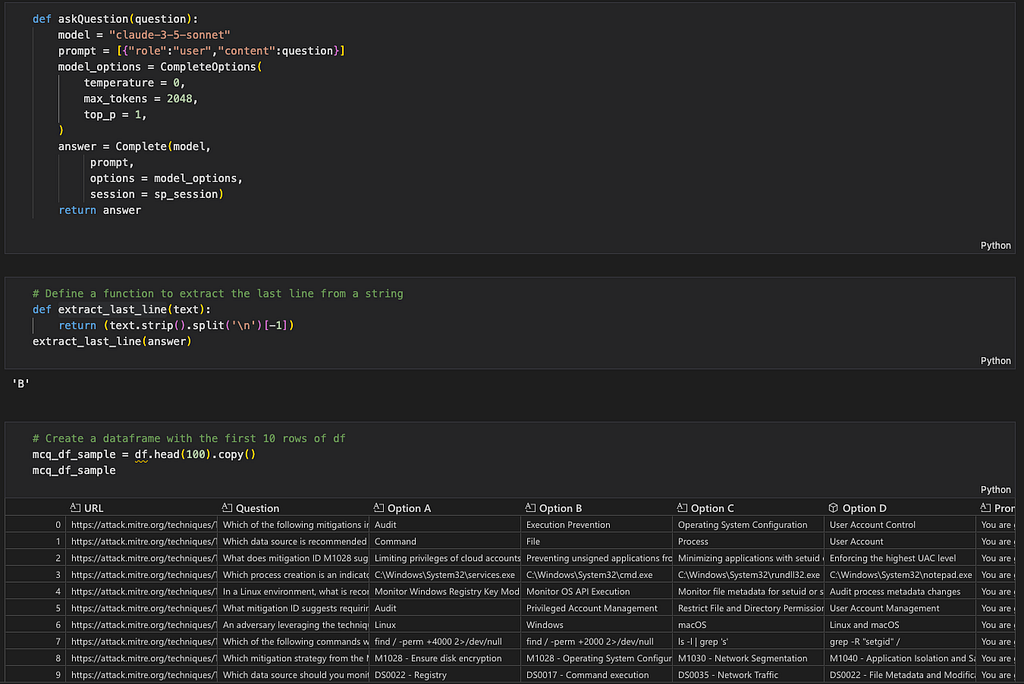
To begin, I dive into the CTI-MCQ benchmark. The benchmark paper conveniently links to a GitHub repository containing notebooks and list of benchmark questions, corresponding prompts and ground truth answers. Armed with this information, I launch a Jupyter notebook and run the prompts using Claude-3.5 running on Snowflake Cortex.
Surprisingly, Claude-3.5 performed far better than the benchmark results mentioned in Google’s announcement. Let’s see how we can improve this further.
I settle on a retrieval-augmented generation (RAG) architecture, with Snowflake serving as the knowledge base and Cortex enabling semantic search. Many CTI-MCQ questions referenced MITRE ATT&CK patterns and techniques, so I decided to load information about MITRE directly into Snowflake to enhance the LLM’s responses. The LLM will then be mildly agentic, generating the semantic query, querying the Cortex Search service and then creating a new augmented prompt.
Building the Knowledge Base
The first step was constructing a knowledge base focused on MITRE ATT&CK patterns and techniques. In the world of LLMs, using markdown files as context is a common pattern, so I search the internet for a markdown version of MITRE ATT&CK techniques and import it into Snowflake as a new table.
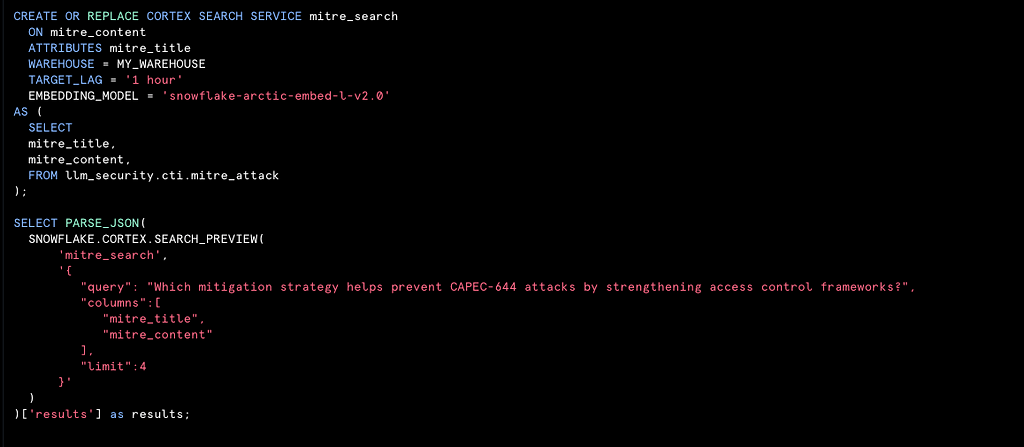
Initializing semantic search in Snowflake is incredibly straightforward. While Snowflake offers a visual wizard for setting up Cortex search, I opt for simplicity and write a single SQL statement to configure the service. Running test queries confirms that the setup was working as intended and ready to power the RAG architecture.
Retesting with Augmented Prompts
Next, I return to the Jupyter notebook to test the augmented system. I create a function to generate semantic queries based on the benchmark question, run the queries against Cortex Search, and integrate the results back into the LLM’s prompt.
The augmented prompts produce marginally better results than the initial, standalone LLM responses. While this isn’t yet perfect, it demonstrates that we are on the right track. Coincidentally we’re at around the same benchmark that Google reported. This concept is called overfitting and happens when you train and evaluate on the same set of data.
Creating the Application
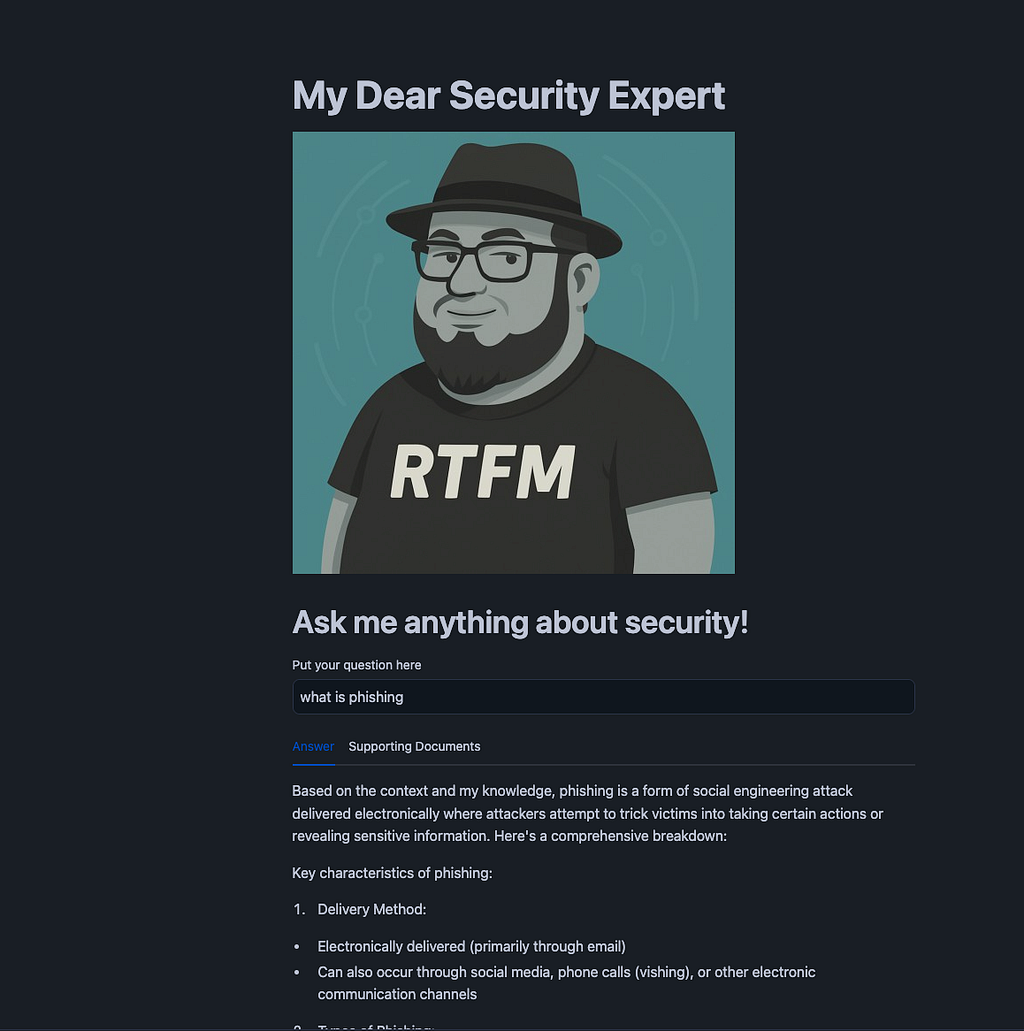
To make the system accessible to end users, I decide to build a frontend application using Streamlit. The first challenge is naming the app, I settle on MyDear because it sounds like MITRE and that made me chuckle. It also reminds me of the M’Lady meme so I generate a logo to match.
With branding out of the way, I scaffold a Streamlit app in under 100 lines of code. The app includes three cortex functions:
Generate Semantic Query: Uses the LLM to create a semantic query
def CreateSemanticQuery(question):
    model = "claude-3-5-sonnet"
    system_prompt = '''
You are a research assistant working on Cyber Threat Intelligence (CTI)
You will be given a question, possible answers and have access to a vector search DB which you can use to query for additional information.
This DB contains a large number of documents related to MITRE ATT&CK tactics and techniques.
Your search will search both the content of these documents as well as the title of the MITRE ATT&CK tactic or technique.
Your task is to generate a semantic query that will best give you additional context to answer the question.
Output the query and only the query, do not include any additional text.
'''
    user_prompt = f'''
{question}
'''
    prompt = [{"role":"system","content":system_prompt},{"role":"user","content":user_prompt}]
    answer = Complete(model,
         prompt,
         session = session)
    return answer
Run Semantic Query: Executes the query against the Snowflake database, retrieving relevant MITRE-related data.
def runSemanticQuery(query):
    columns=["MITRE_TITLE", "MITRE_CONTENT"]
    cortex_search_service = (
        root.databases[DATABASE]
        .schemas[SCHEMA]
        .cortex_search_services["MITRE_SEARCH"]
    )

    resp = cortex_search_service.search(
              query=query,
      columns=columns,
      limit=3
    )
    return  resp.results
Ask Question with Context: Combines the user’s original question with the augmented context and sends it to the LLM for a final response.
def askQuestionWithContext(question, context):
    model = "claude-3-5-sonnet"
    system_prompt = f'''
You are a research assistant working on Cyber Threat Intelligence (CTI)
You will be given a question to answer using the following context as well as your own knowledge.

{context}

 '''
    user_prompt = f'''
{question}
'''
    prompt = [
        {"role":"system","content":system_prompt},
        {"role":"user","content":user_prompt}
        ]
    answer = Complete(model,
         prompt,
         session = session)
    return answer

session = get_active_session()
root = Root(session)
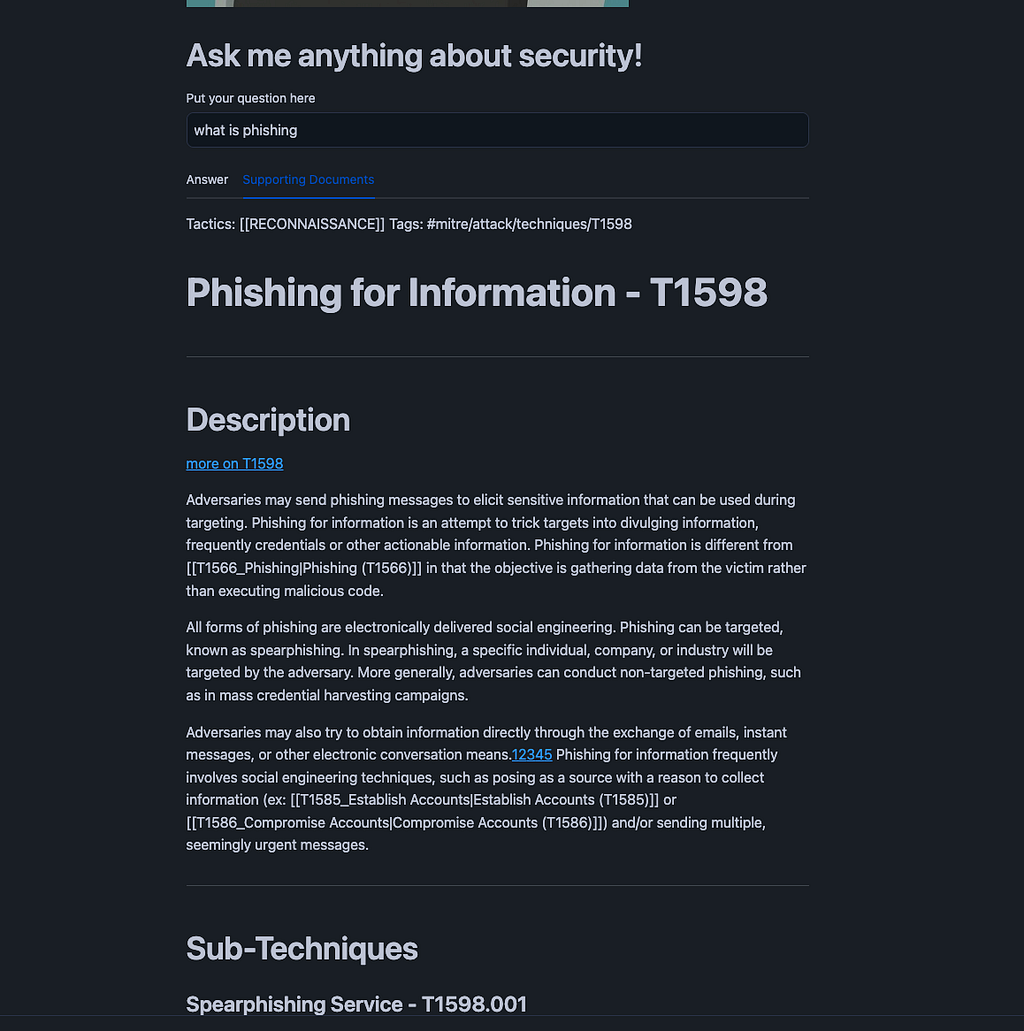
The result is as follows:
Next Steps
While this project works on its own, an even greater value comes from when you use this pattern on your own specific data.
Customers of Snowflake are bringing in their vulnerability though integrations and data shares with Lacework, Orca, Snyk and Wiz and enriching them with threat intelligence data either brought in on their own or through the Snowflake’s marketplace.
Snowflake’s own security analytics team has published both an article and quickstart on how they unify and normalize threat intelligence on Snowflake.
This was a rapid prototype and my main incentive to build more is when people want to see more! If you found this interesting and want to chat about building this for your team, let me know!
This article originally appeared on Medium.