Snowflake Agents for Cybersecurity
I often run a Capture The Flag (CTF) session for customers of Snowflake. I provide a dataset with access logs, vulnerability data, Jira tickets, and cloud audit logs. We work together to use Snowflake to query logs, pivot, and investigate a real-world scenario. We do threat hunting, visualization, and even write detections. Over time, I’ve expanded the session to include more exercises, more challenges, and more data. Customers would need to learn about our features, our tools, and their data before they could solve the challenges.
Just for fun, I enabled Snowflake Intelligence on that dataset. I copied and pasted the challenges… and it solved them all. In less than 20 minutes, the culmination of years of effort was rendered obsolete (I’m not upset.)
This article will explore the components needed to build an investigative cybersecurity agent. First, let’s look at the finished product:
Now let’s go through the components:
The Data
It seems obvious, but good data is the core of this project. There are many ways to get your data into Snowflake. If you use a connected app partner like Anvilogic, Hunters, or Panther Labs, your data is already in and ready to go. If you use one of our built-on Snowflake vendors like Lacework, Orca, or Wiz (and many others), you can use a data share or integration. Take a look at our full guide or get started with a quickstart.
Everything we build from here out will run and be orchestrated from within Snowflake. That means that governance and security are built in. We don’t need to worry about an additional subprocessor, a new jurisdiction or sending data outside of your security perimeter.
Semantic Views
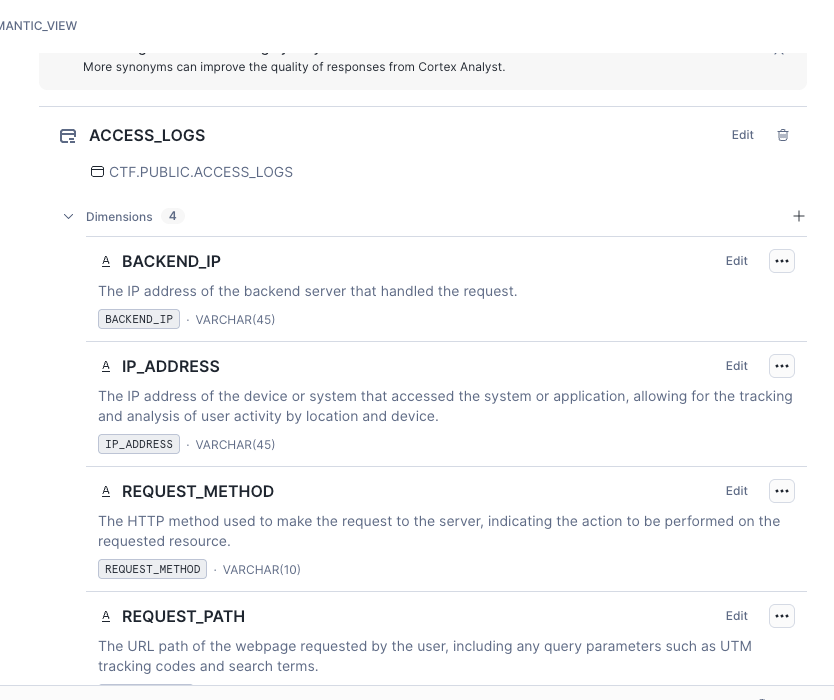
A semantic view is a metadata layer that brings context to your data. This makes it easier for our AI tooling to integrate. Semantic views can include:
- Descriptions of columns
- Synonyms of fields
- Common relationships between tables
- Examples of data
We avoid tedious data entry by providing an AI tool to pre-populate these fields and then allow you to review and edit manually where needed. This aligns with our strategy on ground truth; we show our work and give plenty of opportunities for review.
Cortex Analyst
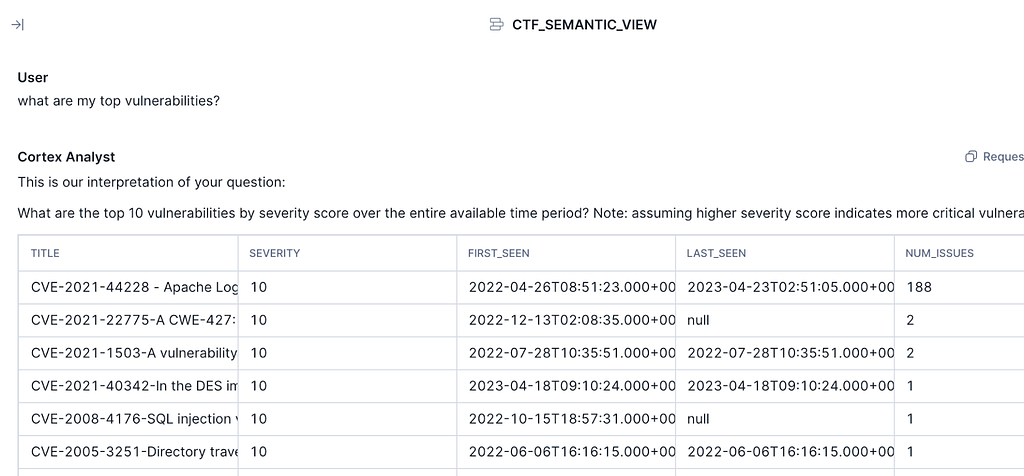
Semantic views are useful data governance tools on their own, but where they help most is in human language searches. While Snowflake Copilot is a straightforward implementation of our Text-to-SQL model, Cortex Analyst uses semantic views to take this to the next level. By taking in that additional context, Analyst can create searches that reflect the intent of the analyst. For instance, an analyst can now ask, “Tell me about my top vulnerabilities” without needing to specify the table, the column, or orderings (the semantics), and Cortex Analyst will return a response.
Again, there is a focus on ground truth and review. Analyst is quick to respond, “I don’t know,” rephrases the question, and provides both the actual and simplified version of the query it runs. This gives the benefits of AI without the tradeoff of trusting a “black box.”
Cortex Search
This is optional but useful. My CTF involves an investigation into Log4Shell, which was popular enough that the most popular models (we’re using Claude 3.7 running directly in Snowflake) already know about it. To really get the most value out of an agent, we want to give it access to contextual information. Things like threat intelligence or enterprise-specific playbooks. While these things may be structured (such as threat intelligence installed from the marketplace), often they are unstructured documents. Cortex Search will automatically index these documents and provide an endpoint (native or REST) for Snowflake and external services to search them.
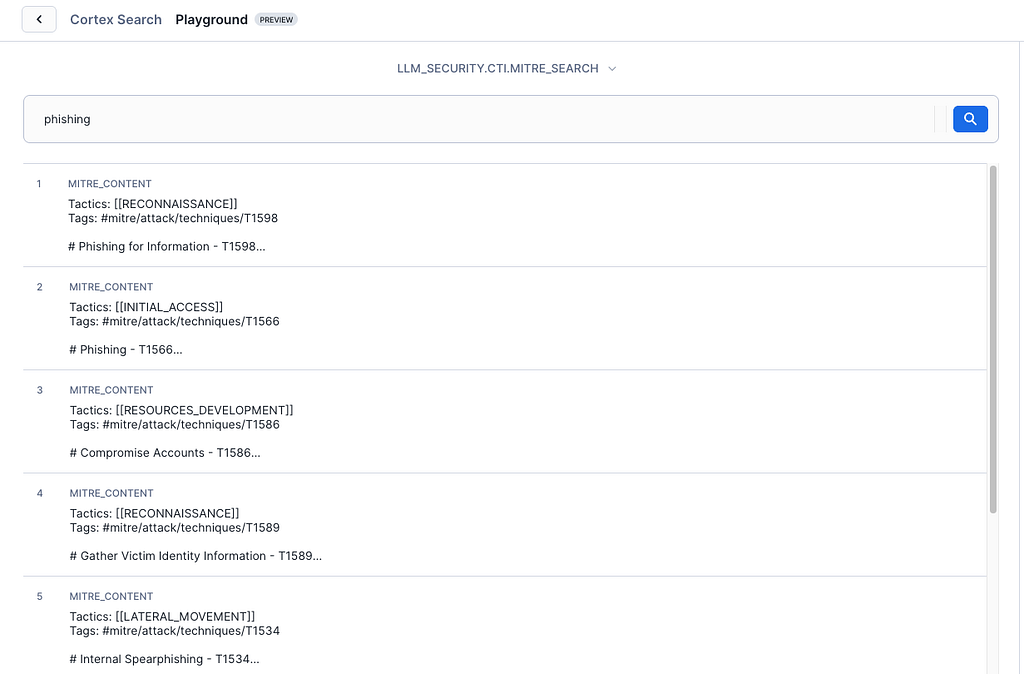
A deeper dive into Cortex Search for cybersecurity can be found here
Agents
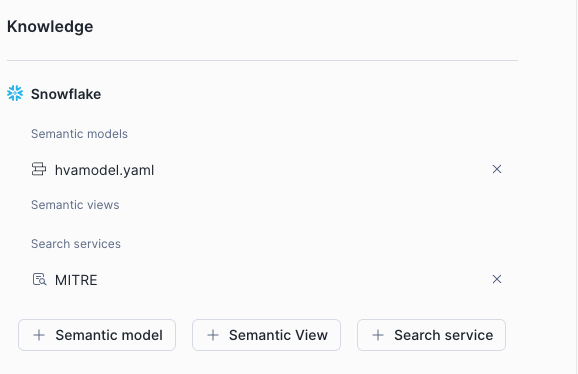
An agent is a collection of tools and instructions that are used by Snowflake Intelligence. You can add multiple semantic views and search services, and we plan to add even more tools in the future. I kept mine pretty simple with my only custom instructions: “You are a cybersecurity analyst helping to understand data in cybersecurity” and added
Intelligence
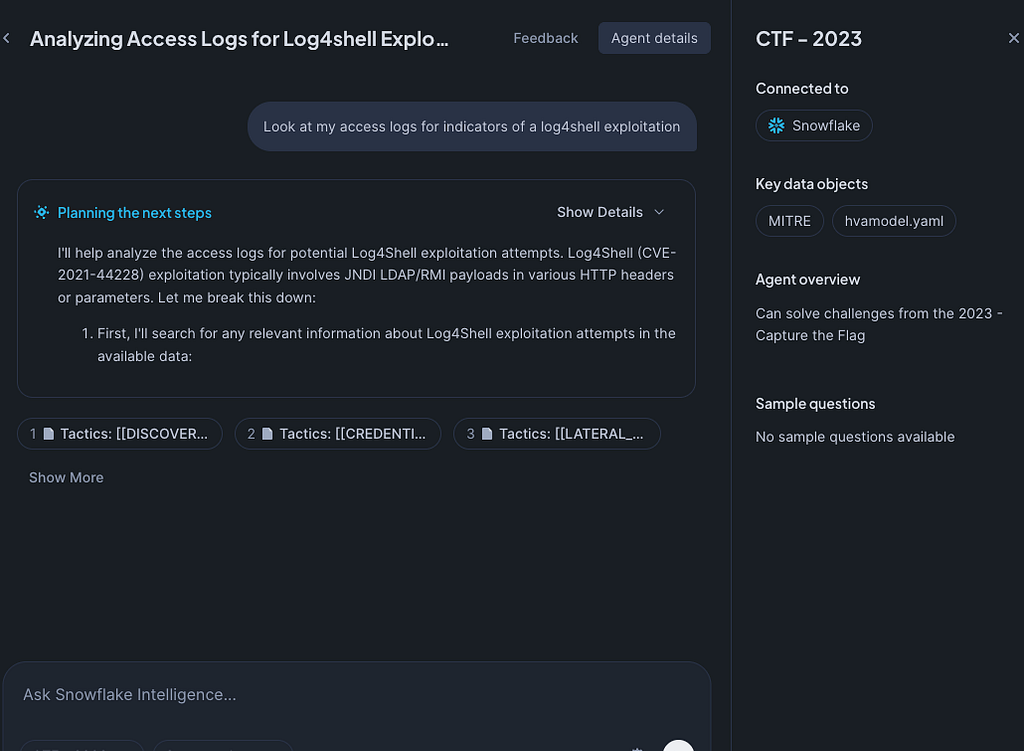
Let’s tie it all together. When we login to ai.snowflake.com and select our agent, we can start asking questions. The agents will call tools as needed, plan, think, and take the initiative, querying multiple sources and generating useful reports.
As usual, the thinking is transparent, and the queries and returned documents are returned for review.
Conclusion
As incredible as it is to see agents conducting investigations, what we just walked through is not a great advancement in AI technology. We’re using out-of-the-box Claude 3.7, a mixture-of-experts model for Analyst, and simply splitting documents and making vectors out of them. The benefits of using Snowflake are more straightforward:
- Snowflake manages the infrastructure
- Snowflake provides cost-effective storage and an easy way to query logs
- Snowflake manages all the AI services (vectorizing, chunking, LLM orchestration, searching…) and they can be configured visually
- This entire system runs within your security boundary; even the LLM models run entirely in Snowflake.
- No new procurement efforts are needed to enable this; Snowflake charges only for storage and compute, so there’s no additional licensing needed.
In short, when factoring in cost, performance, scalability, security, and overall productionalization, Snowflake agents make things easy and feasible.
On a separate note, I’ll probably need to start to figure out how to build an LLM-enabled CTF!
This article originally appeared on Medium.